
A growing number of tools can help identify content that may be sensitive. However, deciding what your organization considers sensitive, and what should happen once it is identified, still belongs to the organization. Microsoft 365 can apply configured controls based on the classification model you give it, and automating that enforcement makes the decisions consistent and scalable. But that also means it makes a badly defined policy consistent and scalable.
There is a lot to say about sensitive data in Microsoft 365, so I've split the topic into two articles. In this first part, I'll get into what it is, who is responsible for it, and where the line sits between human decision and automation. In part two, I'll get into the controls themselves and what your licensing lets you enforce.
What Is Sensitive Data in Microsoft 365
Sensitive data classification is the practice of deciding which content needs protection, what protection each category should receive, and who keeps that definition current.
In Microsoft 365 those decisions are implemented through sensitivity labels and the label policies that publish them, supported by permissions, DLP, and, where an organization has one, a provisioning process that applies agreed settings to new workspaces. These are often the most visible parts of the implementation, and configuring them before the classification model is agreed can create labels without clear business meaning.
Before any of that, it helps to separate the sensitivity a tool can detect from the sensitivity that still depends on business judgment. That gives us two types of data sensitivity.
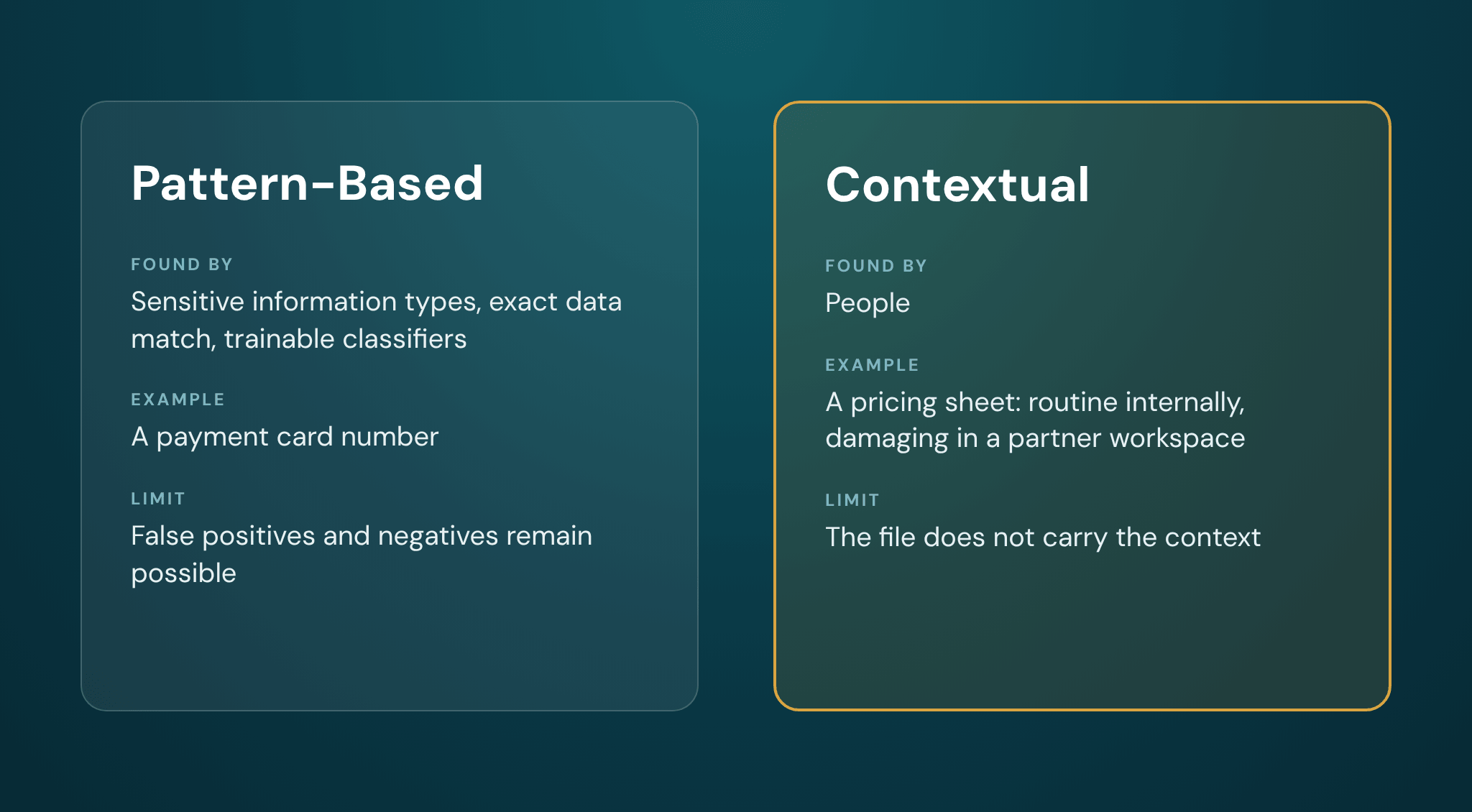
Pattern-based sensitivity follows a recognizable shape. National identifiers, payment card numbers, and bank details are normally detected through sensitive information types, which match predefined patterns, keywords, and checksums. Exact data match compares content against specific values from a structured source you supply, and trainable classifiers work differently again, recognizing categories of content they have been trained on rather than fixed patterns. Where sensitive information follows reliable patterns, these Purview capabilities can help identify it at scale, within the limits of how they are configured. Confidence thresholds, supporting evidence, and for trainable classifiers the quality of the sample data all affect the result, and both false positives and false negatives remain possible.
Contextual sensitivity depends on circumstance. A pricing sheet is routine inside the commercial team and damaging in a workspace shared with a partner. A restructuring plan is a draft until it is a leak. Contextual sensitivity commonly applies to customer records, internal documents, personal data, HR records, financial data, and intellectual property, where the same document can sit at a different level depending on where it is stored and who can reach it.
Many companies will hold several of these categories. Knowing the broad categories, however, is still a long way from having a classification model.
Purview can combine content classification with configured signals such as location, labels, recipients, and sharing activity, but it does not independently determine the organization's business meaning. The technology identifies signals and applies the policies it has been given. People still have to define why those signals matter and what should happen as a result.
Sensitive Data Classification
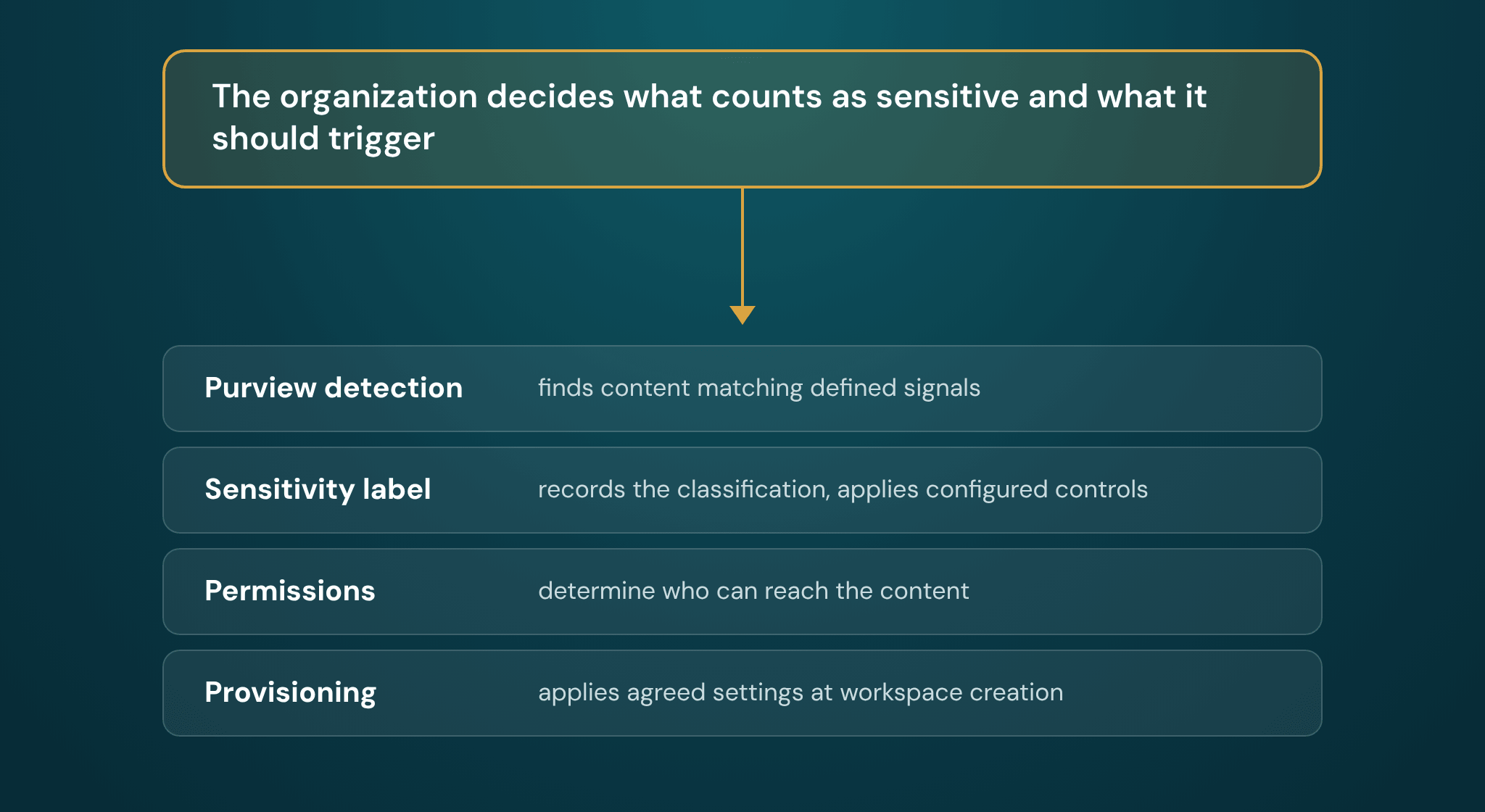
The organization decides, and in practice that means the people who carry the risk: a COO, a CFO, a general counsel, or whoever owns the function the data belongs to, with IT advising on what each control can enforce. Classification is the system that turns that decision into something Microsoft 365 can act on.
Each layer in that system does something narrower than the word "classification" suggests:
- Purview detection identifies content matching signals you have defined.
- A sensitivity label records a classification and applies whatever controls are configured on that label.
- Permissions determine who can reach the content.
- A provisioning process, where one exists, applies agreed settings consistently when a workspace is created.
A sensitivity label is a classification, and whether it protects anything depends on how it is configured. The same label can be published as classification only, with no encryption and no content marking, or it can enforce encryption and usage rights. "Public" can be a sensitivity label. Using "labeled" as shorthand for "restricted" can produce designs that protect less than intended.
These are all small decisions that humans need to make before they become tooling questions. Whether an organization holds sensitive data is not a question. That's a fact. Questions arise when we have to translate that sensitive data into Microsoft 365 controls, such as:
- Should the classification sit on the container, on the content, or on both?
- What should that classification actually restrict, and what does it mean once Copilot is in the tenant?
Those are separate design decisions, and the platform will accept whichever answers you give it.
Data Classification Framework, and How Many Levels You Need
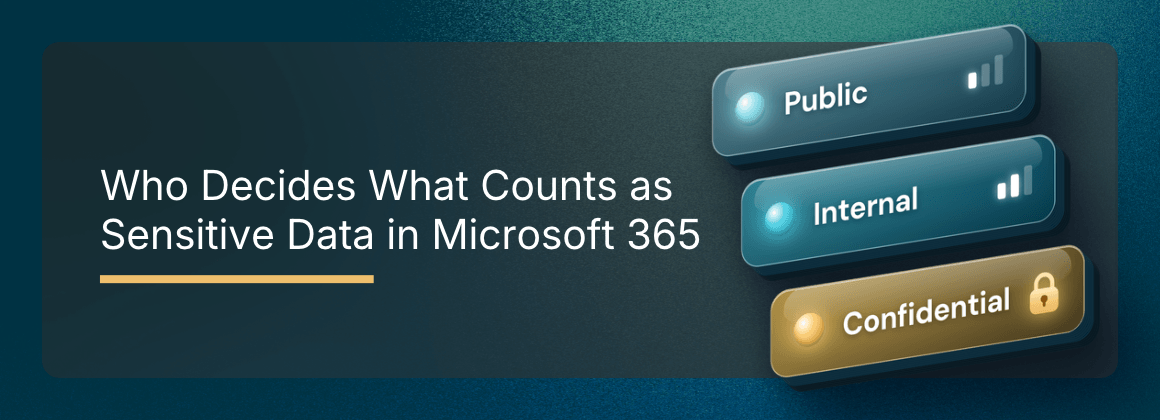
A data classification framework is the written model behind your labels: the levels, what each one means, and what each one requires. For an organization starting from nothing, I would recommend three obvious top-level choices, for example Public, Internal, and Confidential, then adding a further label or a narrowly scoped sublabel only where it represents a genuinely different handling requirement.
Microsoft supports up to five top-level labels with up to five sublabels each. That is a ceiling, not a recommendation, and a small team that has to maintain a large taxonomy will spend a disproportionate share of its time on exceptions.
Pay attention to sensitivity label naming conventions, because they carry more weight than they appear to. Confidential and Restricted leave people guessing which one outranks the other. Confidential and Highly Confidential make the order obvious. People who cannot quickly tell which label applies tend to default to the first one in the list.
The part that often gets skipped is the consequence. Each level needs to specify what it triggers: where that content can be stored, whether it is encrypted, and who can share it externally. A classification becomes operational only when the organization defines the handling requirements associated with it and maps those requirements to specific controls.
Start smaller than feels comfortable. It is usually easier to add a well-justified label later than to retire or consolidate labels already applied at scale.
Mid-Market Companies Have More Sensitive Data Exposure
It would be reasonable to assume that exposure scales with headcount, so the largest organizations carry the most risk. The research, however, shows that it's the mid-market that comes out worst.
Netwrix surveyed 2,317 IT and security professionals for its 2026 Data and Identity Security Report and published its findings by company size. Asked whether unauthorized identities had accessed sensitive data in the previous twelve months, the share answering yes was:
| Company size | Reported unauthorized access |
|---|---|
| Under 500 employees | 18% |
| 500 to 999 employees | 40% |
| Over 10,000 employees | 27% |
Source: Netwrix, 2026 Data and Identity Security Report.
Two more findings from the same band explain the shape of it. 80% said they cannot get a single view of where sensitive data lives and which identities can access it, against 70% in both the smaller and the larger bands. Also, 76% said identity security and data security sit outside any unified strategy.
The report covers identity and data security broadly rather than Microsoft 365 specifically, so I would not read it as a tenant diagnosis. But what it describes is the gap this article is about: organizations holding enterprise-grade data, where the job of deciding how to handle it sits with people who already have other responsibilities.
When Sensitive Data Is Left Unclassified
So what could go wrong if your sensitive data is not classified? For one, without a defined model and configured controls, new workspaces and content are governed by the tenant's general defaults. That means the permissions already in place carry over, applied without anyone choosing them for this content and before anyone knew what would be stored there.
By default, a user in Microsoft 365 can create a Team, and each one generates a Microsoft 365 group, a SharePoint site, a group mailbox, and a notebook. The creator may select the workspace's initial privacy and membership, within the options tenant policy allows. Other sharing and access behaviors come from tenant settings and can still change over time.
If the tenant has not configured and published container labels, a new workspace is created without one, and the files inside it remain unlabeled unless a label policy, a library default, a manual action, or an auto-labeling mechanism applies one.
Where a container label is applied, the items inside it do not inherit that label or its item-level protection. That distinction deserves its own treatment, so I'll get into it in part two of this series.
Automated Classification
Automation is very good at applying a policy the same way every time, across far more content than a person could review. But writing that policy, and supplying the context a file does not carry on its own, is a human job.
This is where I would apply the most scrutiny to any automation proposal, including one involving our own products. Auto-labeling, trainable classifiers, and a provisioning process are all useful, and each inherits its quality from the model it is given. But if automation is poorly tested and rolled out too broadly, it can apply the wrong rule consistently across a large volume of content, which is why simulation and staged rollout exist.
There is a practical wrinkle for mid-market organizations. Much of the automated enforcement people plan around sits behind E5 or the Purview add-ons, while manual labeling and container labels are available from Business Premium and E3. The model you can operate therefore depends on which enforcement mechanisms your licensing makes available.
And while licensing shapes what you can enforce, human decisions still sit behind the classification and labeling process, before any automation is applied.
How to Define a Sensitivity Classification Model
Defining the model takes six steps, and the order matters. Discovery can help shape the model, but a tenant-wide assessment is much more useful once there is an agreed definition of what is sensitive, how it should be protected, and what requires action.
- Define a small sensitivity and classification model. Three top-level labels, named so the order is obvious.
- Define the expected protection or behavior for each classification. This is where a classification acquires handling requirements rather than a name.
- Map each decision to container controls or item controls. They are different mechanisms and they protect different things.
- Decide what can be classified through human judgment and what needs detection. Then confirm which enforcement mechanisms your licensing supports before the design depends on them.
- Encode the appropriate workspace-level decisions into provisioning, so new workspaces start correctly rather than being corrected later.
- Assess and remediate existing workspaces and content against the model.
Starting with assessment alone can produce a long inventory without an agreed rule for prioritizing or remediating what it finds.
The Judgment Does Not Automate
Once the model exists, the rest becomes work you can systematize: labels published, workspace-level decisions applied consistently at creation, existing content assessed against a standard someone has agreed to.
What stays human is the judgment about what your organization treats as sensitive and what it expects to happen as a result, and that judgment becomes more valuable the more enforcement you hand to the platform.
Workspace Integrity will not tell you what your organization should classify as sensitive. Where sensitivity labels are already configured, it can help surface how those labels appear across the wider workspace environment, alongside structural and operational signals.
FAQ
Who should define the data classifications in a company without a compliance team?
Accountability sits with the business, usually with whoever owns the risk: a COO, a CFO, or an operations lead, with IT supplying what each control can enforce. IT can run the process and should stop short of owning the definition, because the judgment about what is damaging to disclose is a business judgment rather than a technical one.
How many sensitivity levels should we have?
Three at the top level is a reasonable starting point for an organization beginning from nothing, for example Public, Internal, and Confidential. Microsoft supports up to five top-level labels with five sublabels each, which is a ceiling rather than a recommendation. It is usually easier to add a well-justified label later than to retire or consolidate labels already applied at scale.
What is the difference between data classification and a sensitivity label?
Classification is the decision that a piece of content is confidential. The sensitivity label is how you record and act on that decision inside Microsoft 365. A label can classify without protecting, so its configuration determines what it does, and a label published without a classification model behind it carries no meaning.
Is data classification necessary at our size?
A model is. A formal program may not be. The useful minimum is a handful of levels, a defined consequence for each, and a named owner for the definition. Among the size bands Netwrix reported, organizations between 500 and 999 employees had the highest rate of unauthorized access to sensitive data, which suggests the middle of the market is where the absence of a model costs the most.