




Tenant sprawl doesn't announce itself. It compounds quietly, until the day Copilot surfaces a three-year-old document in a client meeting and someone asks why your AI doesn't know what's current.
That moment is embarrassing. It's also avoidable. But avoiding it requires treating workspace lifecycle management differently than most organizations do today.
Solid start with no end date
When a Microsoft 365 workspace gets created, there's always a reason. A project kicks off, a department needs a collaboration space, a team initiative needs somewhere to live.
The workspace makes sense on day one, but what doesn't get designed from the get-go is what happens when the reason disappears. Like when a project ends, and initiatives wraps up, or teams restructure. Their workspaces stay, because nobody's job is to turn off the lights.
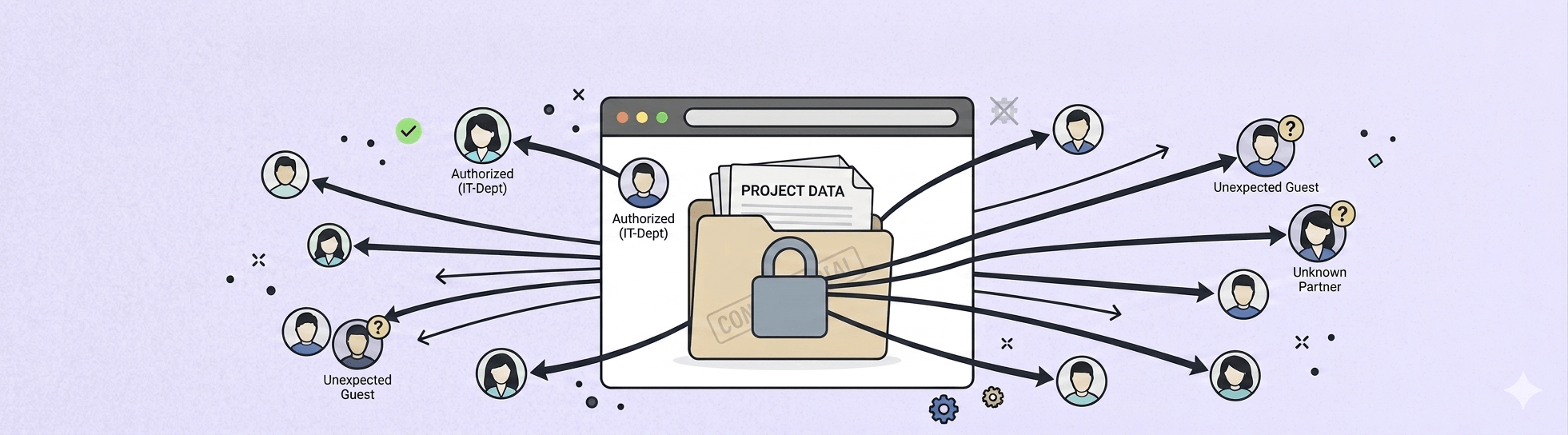
Multiply that across hundreds of Teams, SharePoint sites, and Microsoft 365 Groups, and you end up with a tenant that no longer reflects how your organization actually works. Inactive workspaces accumulate storage. Their permissions go unreviewed for months. Their content shows up in search alongside everything that's current and relevant. And in an environment where people are already struggling to find what they need, that noise quietly kills adoption over time.
This is the default state of every M365 tenant that doesn't have a lifecycle process running. And that’s not a failure of governance. It’s just what happens when workspaces have a beginning but no designed ending.
Inconvenience turned into a risk
Inactive workspaces were always an inconvenience. They became a risk the moment organizations started rolling out Copilot.
Copilot doesn't distinguish between active content and content that hasn't been touched in two years. It works across the tenant, which means stale workspaces, outdated documents, and permissions that were never cleaned up are all fair game. When Copilot surfaces that content in front of a user who doesn't know its context, the problem isn't just a bad answer. It's a trust problem. And when people stop trusting the AI they were supposed to adopt, the ROI conversation gets difficult fast.
Organizations that invested in Copilot have a new, concrete reason to care about tenant hygiene. The cost of inaction is no longer abstract.
The diagnosis problem
If you've looked at what's available for lifecycle management, you've seen tools that are genuinely sophisticated. Policy engines, owner notification workflows, archival pipelines with multiple configuration layers. For organizations with dedicated governance teams, these tools make sense.
Most Microsoft partners and mid-market IT teams don't have dedicated governance teams. They have IT admins who manage lifecycle management alongside everything else, and they need something that works without requiring a specialist to configure and maintain it.
The mismatch between the tools that exist and the teams that need to use them is why sprawl persists even in organizations that know they have a problem. They look at what's available, conclude the effort outweighs the outcome, and defer. The tenant keeps growing. And the cleanup project stays on the roadmap.
This isn't a criticism of enterprise governance tools. They solve real problems for the organizations they were built for. The issue is that the rest of the market has been underserved, and the default response to that gap has been to treat lifecycle management as something you get to eventually, rather than something your tenant should be doing for itself.
Microsoft 365 workspace lifecycle management designed to run
The approach we built into Pulse365 starts with a detection problem that most tools get wrong.
A Microsoft Team isn't just a Team. It's connected to a Microsoft 365 Group and a SharePoint site, and all three need to be considered to understand whether a workspace is genuinely in use. Pulse365 only flags a workspace as inactive when all three show no recent activity. That's the foundation that makes everything else reliable.

From there, the policy configuration is where the real work happens. You define your inactivity threshold, your extension period, and what archiving actually means for your tenant: the naming convention that signals archived status, whether members are removed, whether the workspace disappears from search.

That last point matters more than it sounds. When a workspace is removed from search, Copilot stops indexing it, which is a direct, concrete payoff for anyone who has rolled out AI and wants it to work with current content only. Configure it once and Pulse365 applies it consistently.
Soft archival
It's worth noting that Pulse365's archival is different from Microsoft's native archival, which is a licensed feature that moves content to a separate storage tier. Pulse365 uses soft archival: a governed holding state where content is preserved and recoverable, but the workspace no longer behaves as active. For a full walkthrough of what each setting controls, read the archival guide here.
When a workspace is flagged, the admin chooses one of three paths: extend it, archive it, or delete it. All three available directly from the report, without scripts and PowerShell.

A tenant that governs itself
The goal was never a clean tenant on a specific date. A clean tenant on a specific date is just the result of a cleanup project, and cleanup projects end.
The goal is a tenant that stays clean because the process is running, not because someone is watching. When lifecycle management depends on active attention, it competes with everything else on the IT backlog and it loses regularly. When it runs as a configured process, it doesn't compete with anything.
Lifecycle management isn't something you finish. The tenants that stay clean aren't the ones with the best cleanup projects. They're the ones that stopped needing them.
If your organization is ready to move from cleanup to continuous governance, explore how Pulse365 handles workspace lifecycle management →